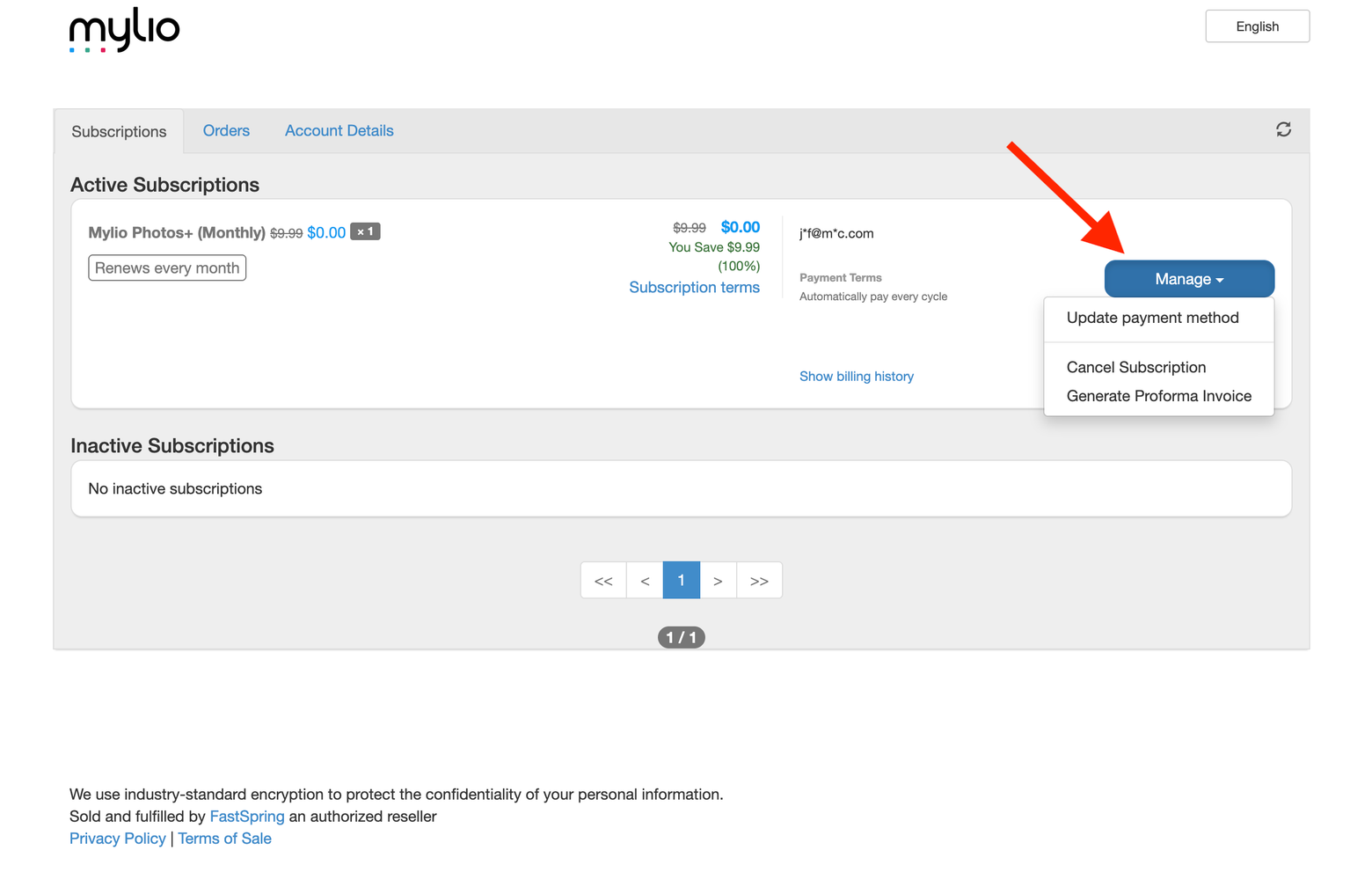
Mylio uses FastSpring, a third-party payment processor, to handle all billing and subscription payments. To update your credit card or other payment details, you’ll access the FastSpring billing portal directly from your Mylio account page.
Steps to Update Your Payment Information
- Go to https://account.mylio.com and log in to your account.
-
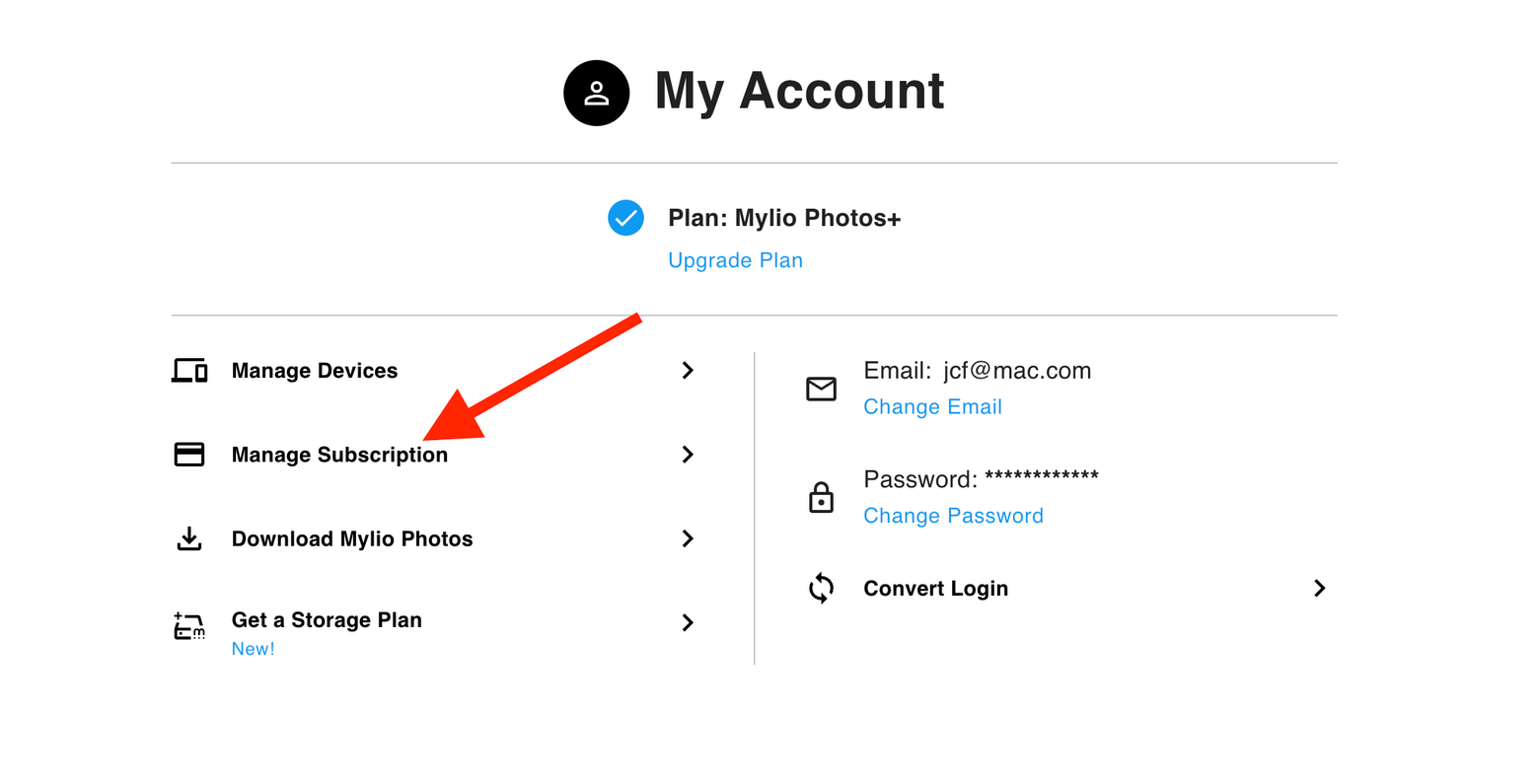
Select Manage Subscription.
-
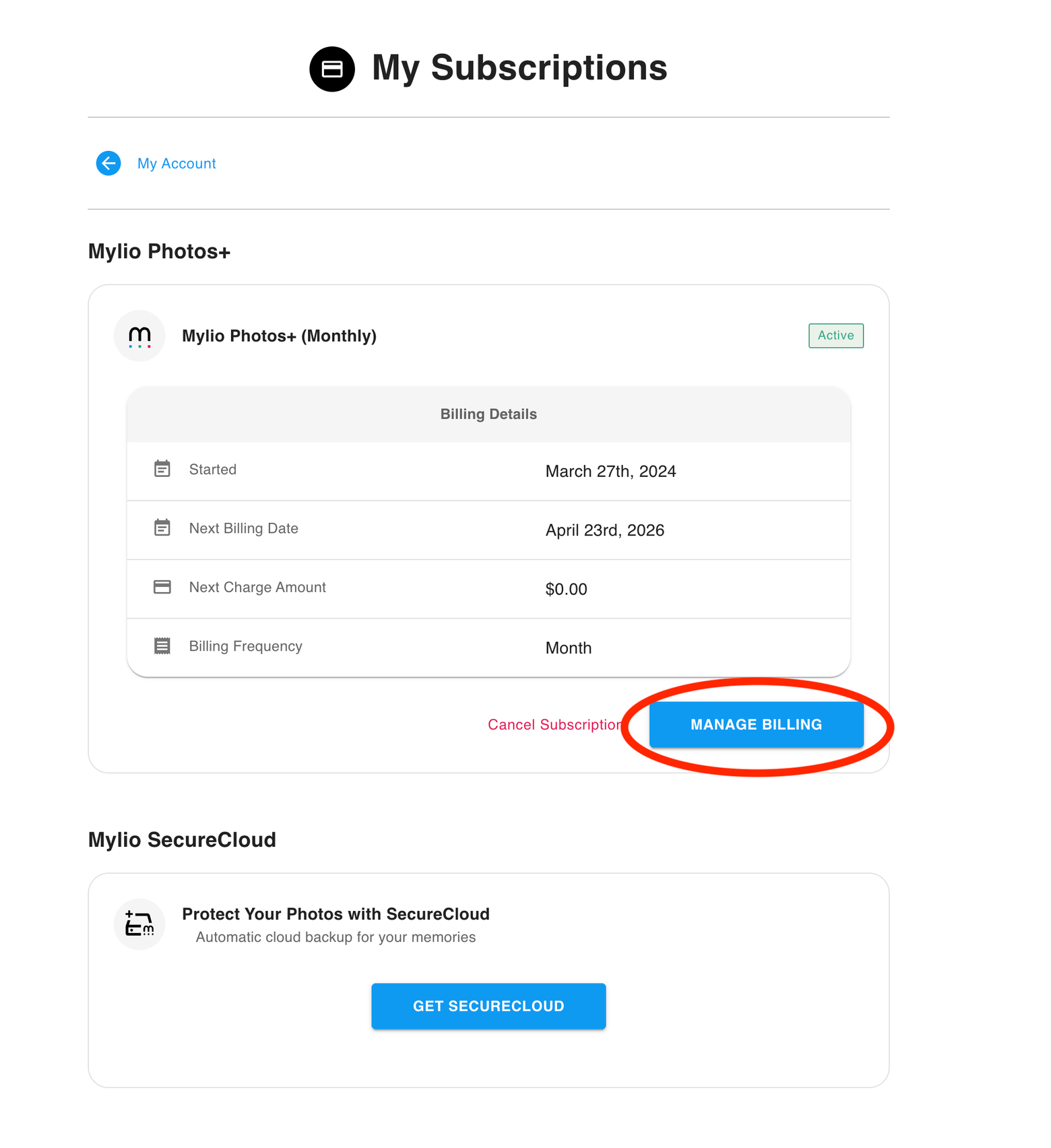
Select Manage Billing.
- Enter the email address associated with your billing profile and submit.
- Check your email inbox for a message from FastSpring containing a link to the billing portal.
- Click the link to open the billing portal.
-
Under the Manage section, select the option to update your payment information.